Install from Shopify App Store
Find InkBot in the Shopify App Store and add it to your store with a single click. No technical setup required.
- ✓Search for "InkBot" in the Shopify App Store
- ✓Click "Add app" to begin installation
- ✓Free plan starts immediately — no credit card needed
Authorize the App
Grant InkBot the permissions it needs to read your products and write descriptions back to your store.
- ✓Review requested permissions (read/write products)
- ✓Click "Install app" to authorize
- ✓Your data stays secure — we only access product info

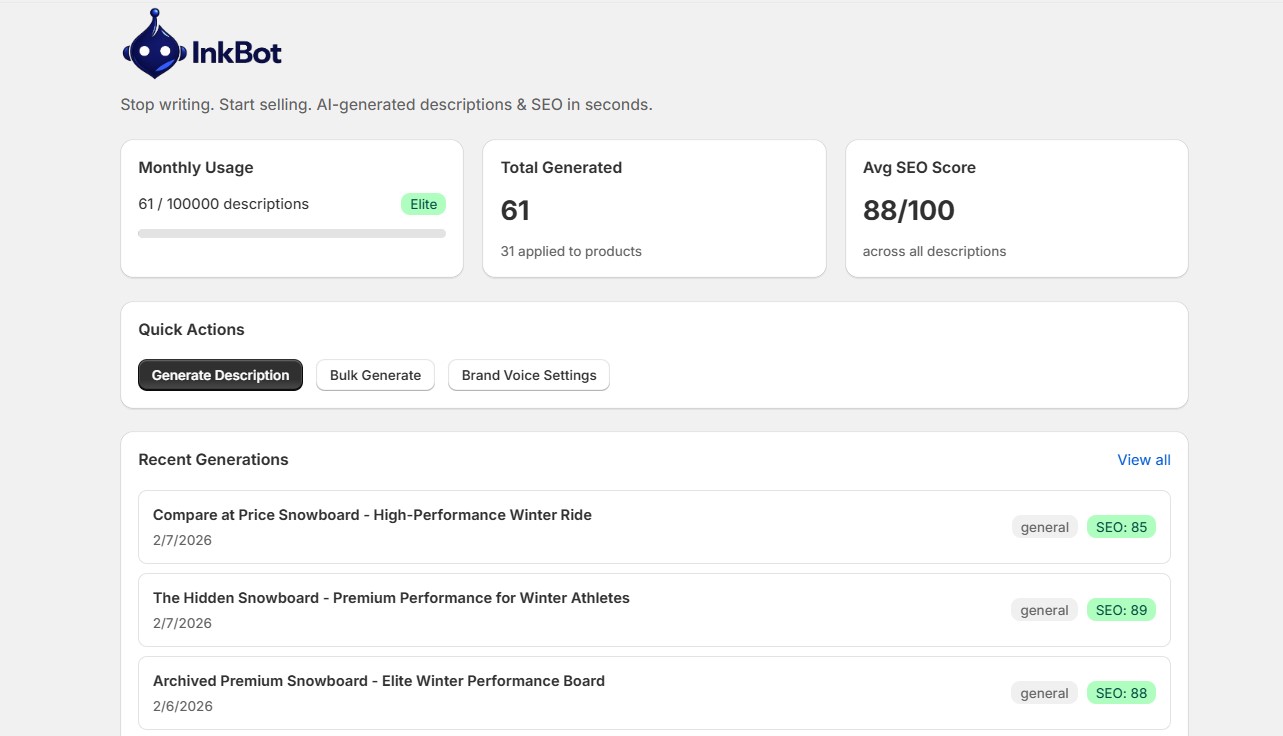
Dashboard Overview
Your command center shows usage stats, recent generations, average SEO scores, and quick actions at a glance.
- ✓Track monthly usage with the progress bar
- ✓See your average SEO score across all generations
- ✓Jump to Generate or Bulk with quick action buttons
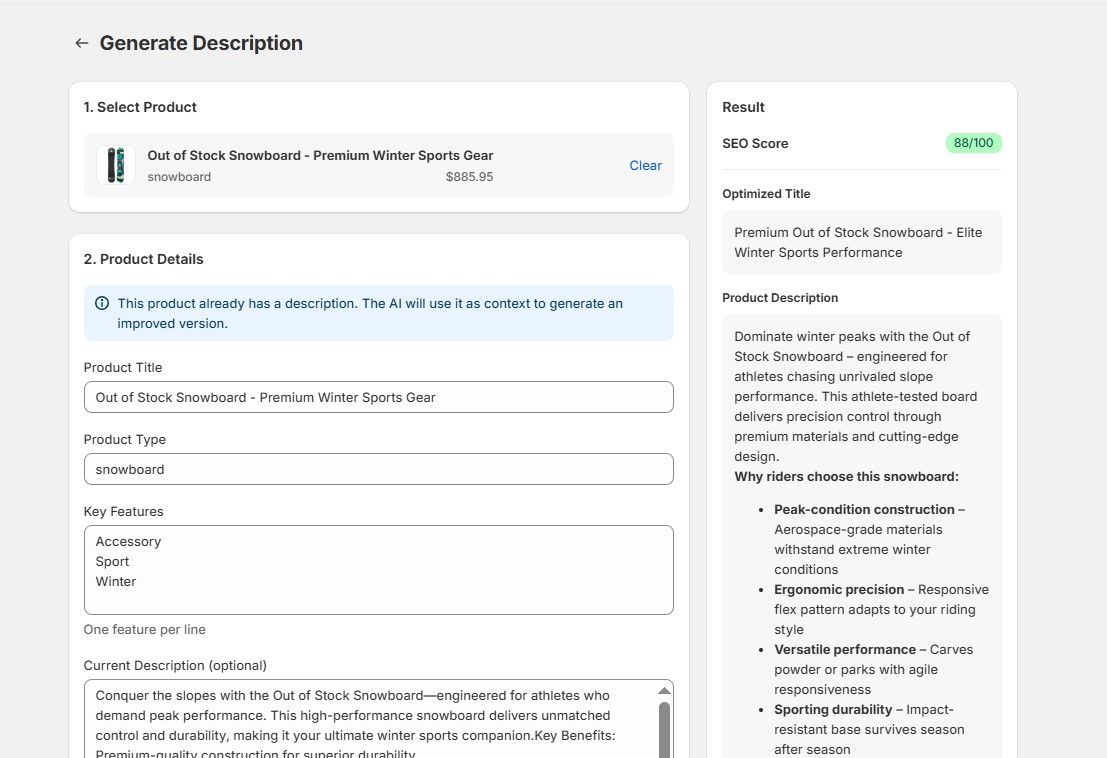
Generate Your First Description
Select a product from your Shopify catalog (or enter details manually), pick your niche, tone, and language, then click Generate.
- ✓Choose from 9 industry niches (Fashion, Electronics, Beauty...)
- ✓Pick a tone: professional, casual, luxurious, playful, technical, or minimalist
- ✓Select any of 111 languages for global reach
Apply Description to Shopify
Review the generated title, description, meta tags, and SEO score. One click applies everything directly to your Shopify product.
- ✓Preview the full description with SEO score
- ✓Click "Apply to Shopify" to update your product instantly
- ✓Title, description, meta tags, and product tags are all synced
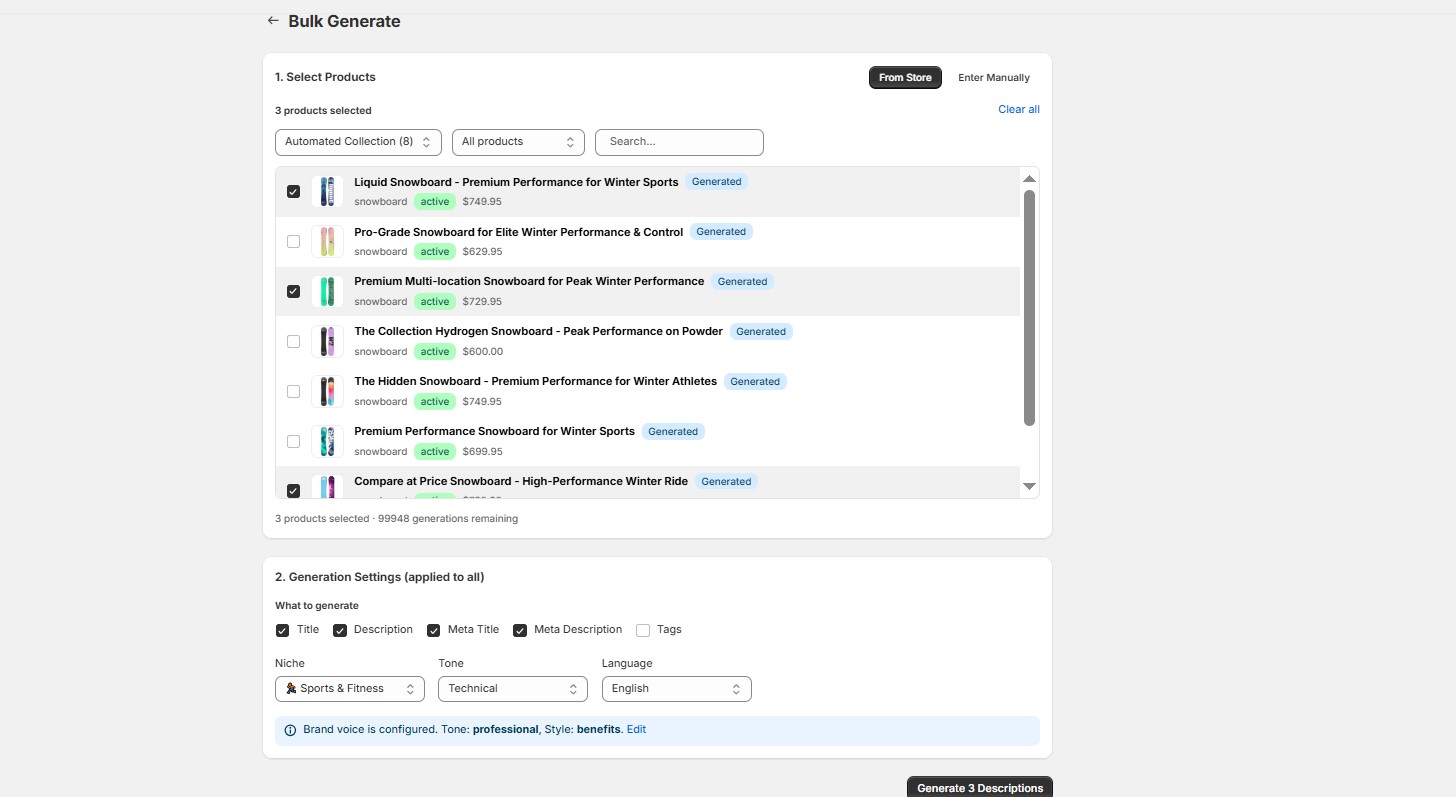
Bulk Generate for Multiple Products
Process your entire catalog at once. Filter by collection, status, or search — then batch generate descriptions for all selected products.
- ✓Filter products by collection or generation status
- ✓Select multiple products with checkboxes
- ✓Batch processing handles up to 3 products concurrently
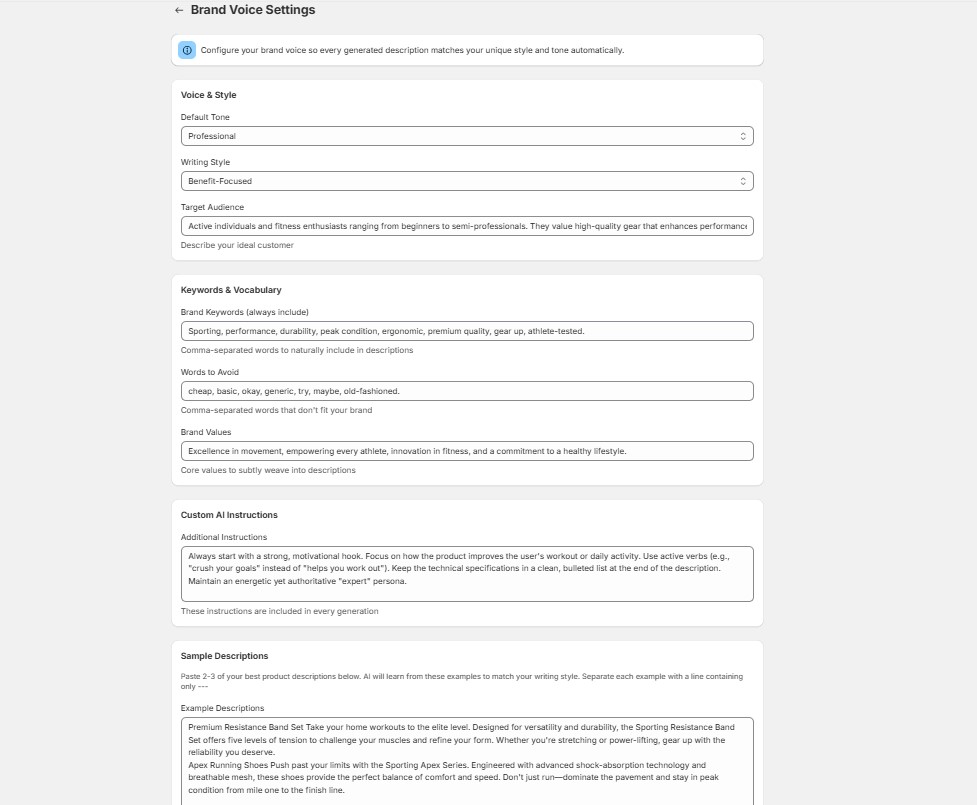
Configure Brand Voice
Train InkBot to match your unique brand identity. Set tone, style, keywords, words to avoid, and provide sample texts for the AI to learn from.
- ✓Define your brand tone and writing style
- ✓Add keywords to include and words to avoid
- ✓Paste sample texts for AI to analyze your voice
View Generation History
Browse all your past generations, filter by niche, and quickly copy or reuse any description. Full history with pagination.
- ✓Filter history by niche category
- ✓Expandable cards with full description preview
- ✓Copy any past description with one click
Upgrade Your Plan
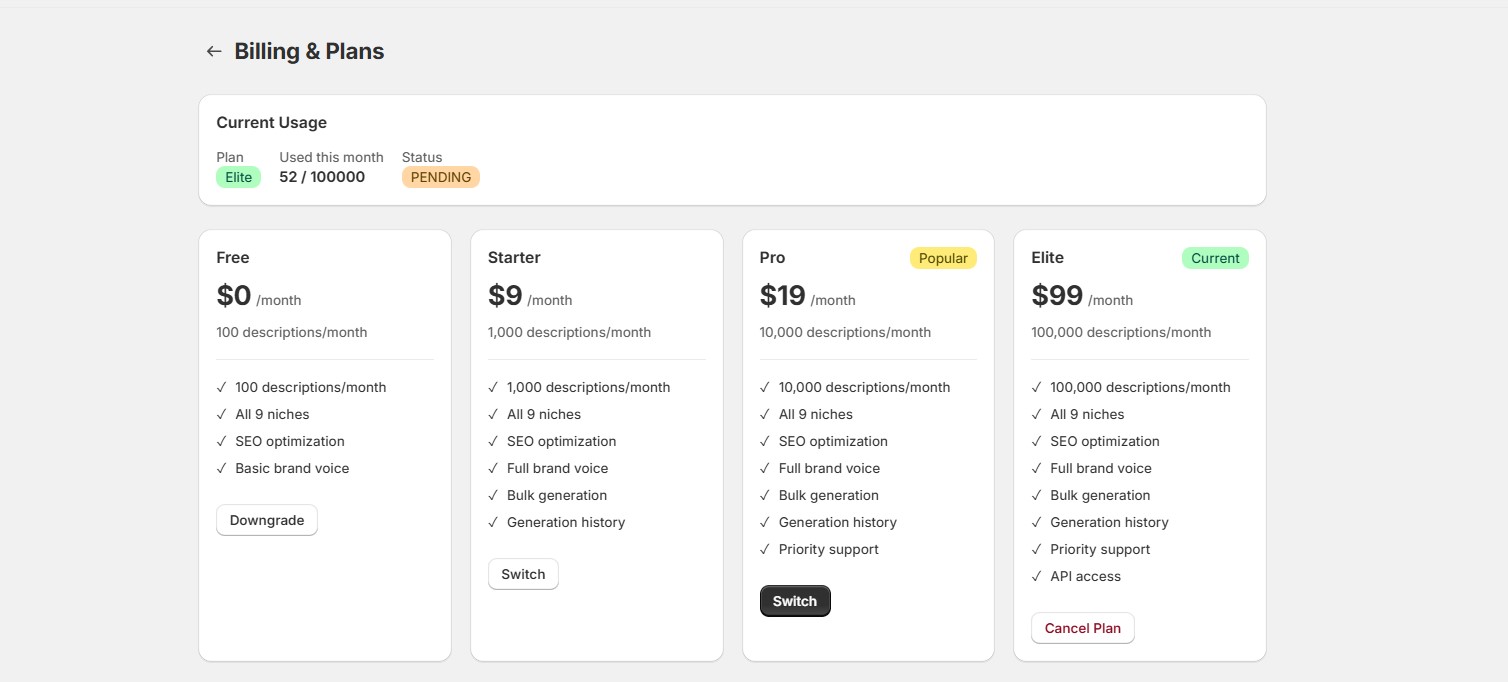
Start with 100 free generations per month. Upgrade to Starter, Pro, or Elite as your store grows — all managed through Shopify billing.
- ✓Free: 100/mo, Starter: 1,000/mo ($9), Pro: 10,000/mo ($19)
- ✓Elite: 100,000/mo ($99) with API access
- ✓Upgrade or downgrade anytime, no contracts
API Access (Elite Plan)
Integrate InkBot into your own workflow with the REST API. Generate API keys, use Bearer authentication, and automate description generation.
- ✓Generate a secure API key from the API page
- ✓Use Bearer token authentication in your requests
- ✓Supports both single and bulk generation endpoints